Tattoo studio · London, Ontario

CozyInkz. Built for the art, not the admin.
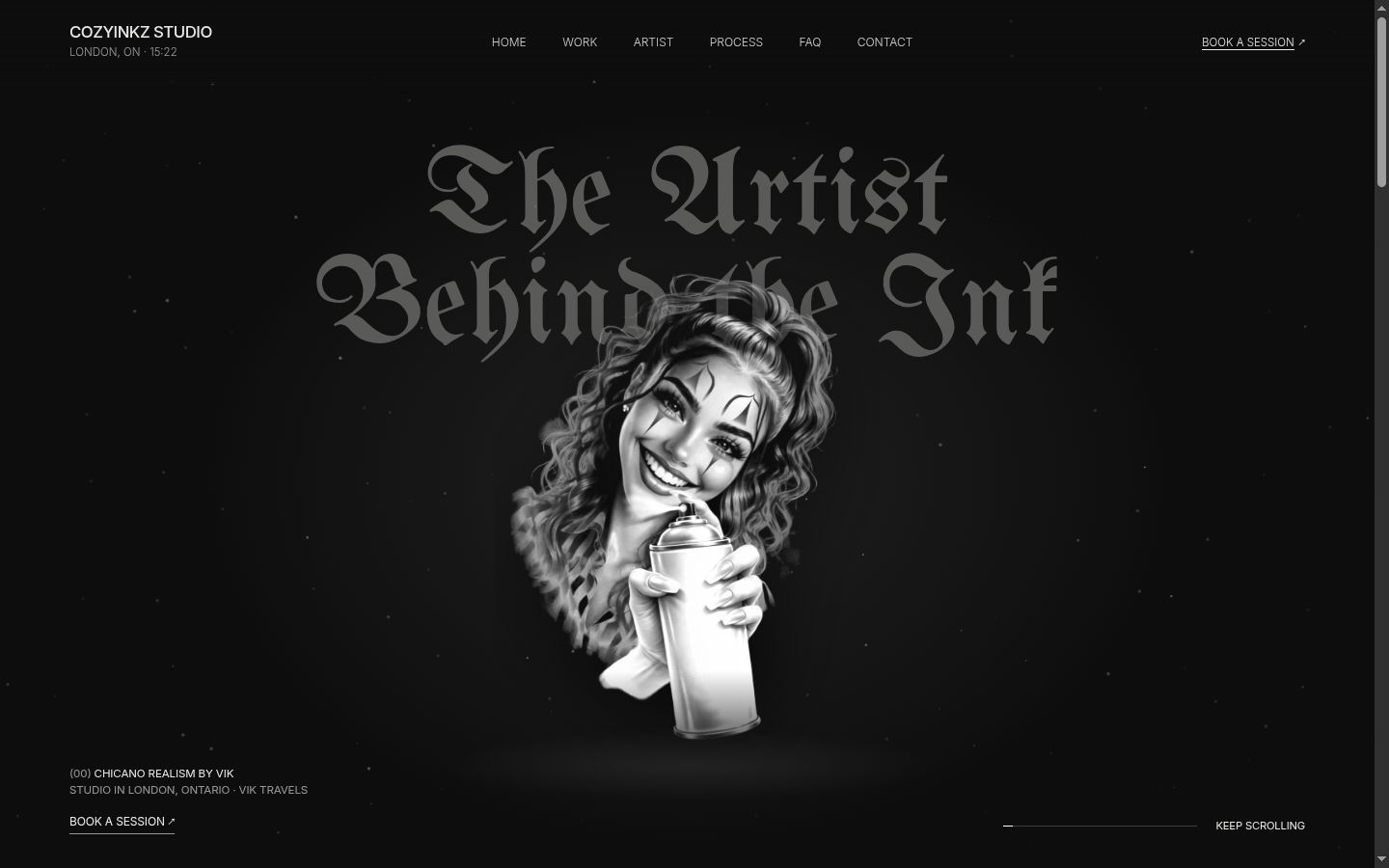
Vik is a solo tattoo artist known for black and grey Chicano realism, working from a private studio in London and on house calls. We built his website, a deposit-first booking system, a consent and health form, an owner dashboard and an AI assistant for his own PC. It is built, tested and running on a preview with sample data, ready to launch.
48-hour deposit holdunpaid dates free themselves
Vik decides after the depositApprove · Decline + refund
- BusinessSolo artist, private studio + house calls
- What we builtWebsite, booking, consent form, dashboard, AI assistant
- StatusBuilt and ready to launch
The problem
Every booking was a conversation.
Vik's clients reach him by text, Instagram DMs and in person, mostly by text. Between sessions he couldn't reply fast enough and was hard to reach. Every booking meant dates back and forth, then finding the closest opening.
The schedule lived in his head. Dates didn't always make it into the calendar, he squeezed too many people in, and he held spare days back in case a piece needed another session. Pricing was draining too: probing budgets and quoting each client to win them.
Consent, ID checks and health questions such as allergies and blood thinners were all verbal, with no records. Aftercare was verbal as well. By his estimate about 9 in 10 past clients come back, so every one of those conversations mattered.
The brief
Logistics run themselves. The design stays his.
From the first conversation: design talk belongs to Vik, and everything else should take as little talk as possible. So the system handles dates, deposits, forms and reminders, and anything about the piece itself goes straight to him.

What we built
The studio, run by the system.
-
01
A website in his own look
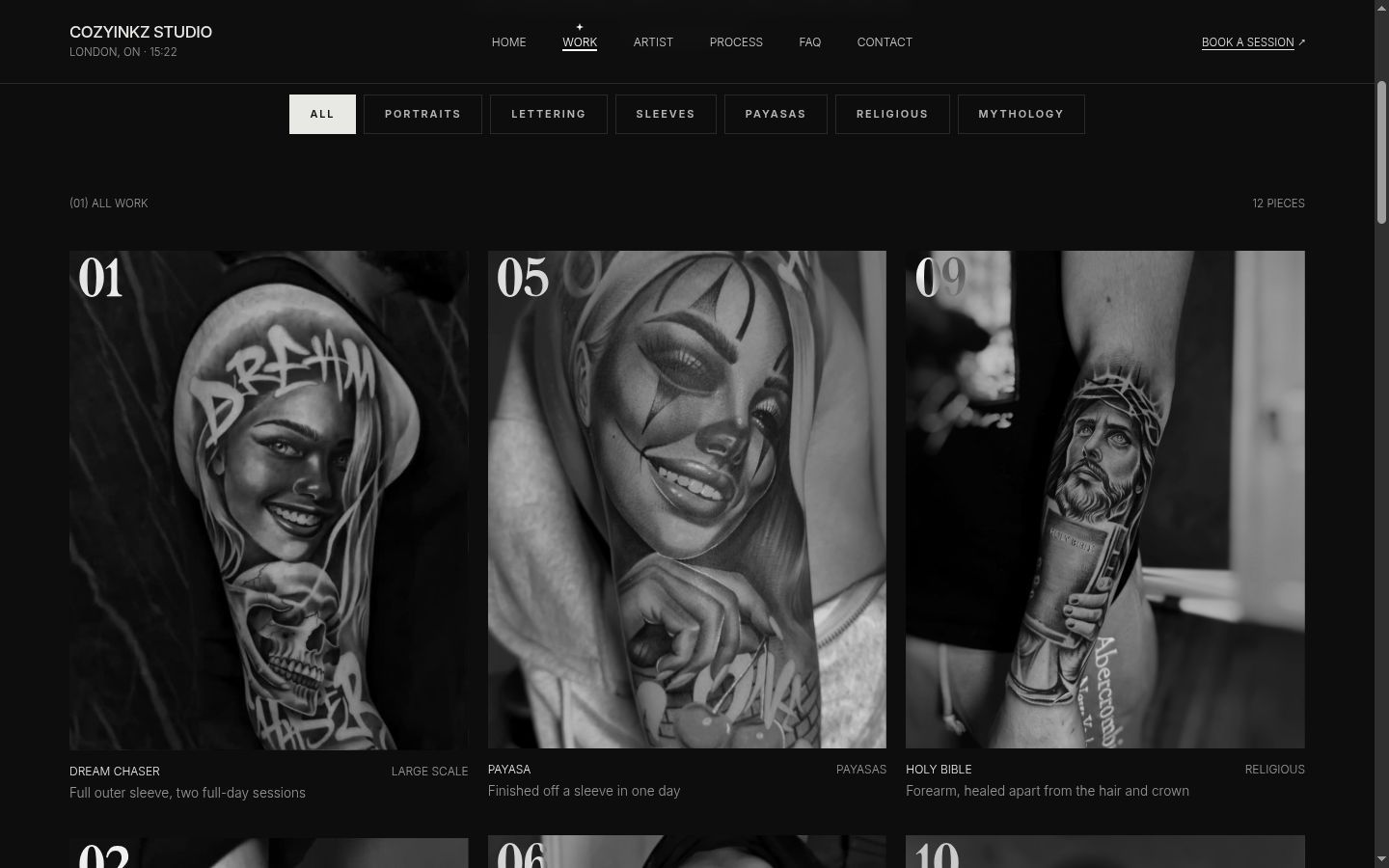
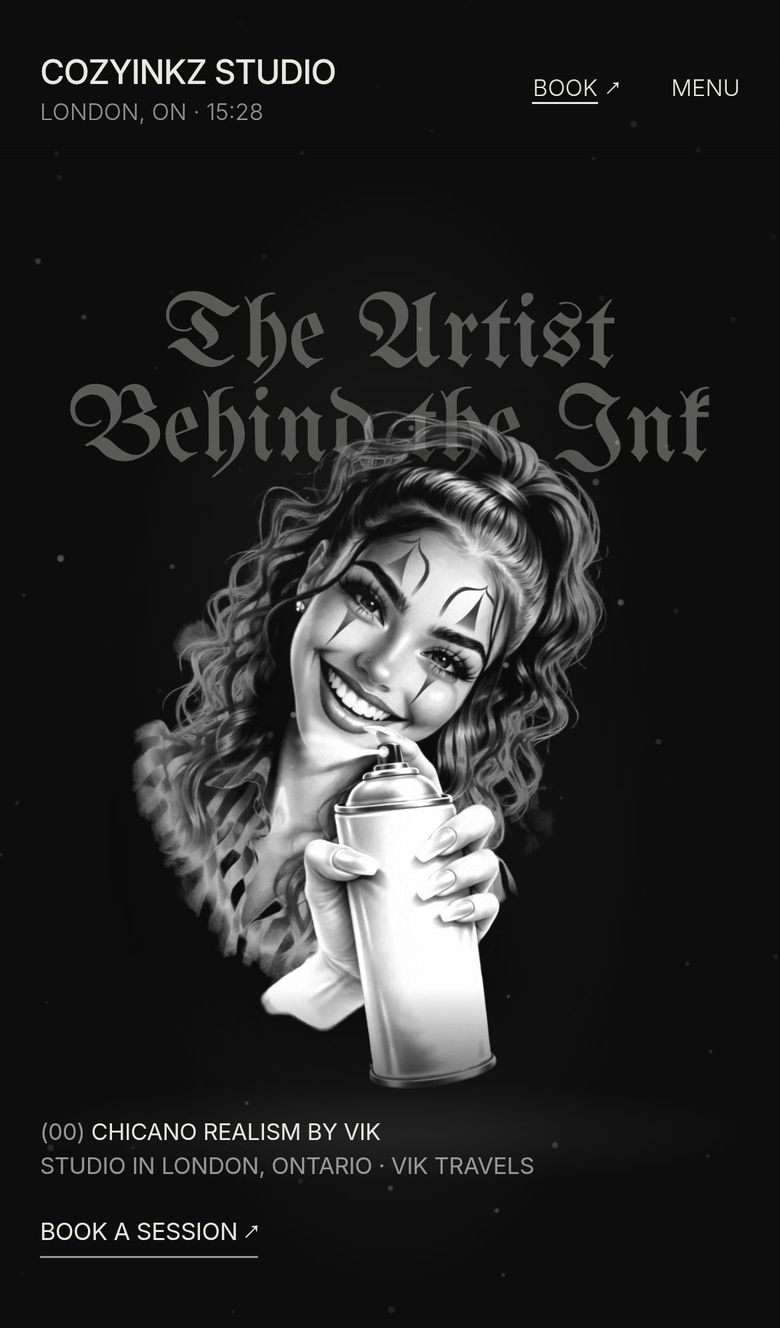
Concept 2, "Nocturne", the design Vik picked: ink black and bone white, his chrome logo, blackletter accents and his payasa lit like a statue. Every menu item is its own page: Work, Artist, Process, FAQ and Contact.
- A Work gallery of his real pieces, filtered by style: portraits, lettering, sleeves, payasas, religious, mythology
- A Process page from idea to touch-up, with house calls and his aftercare in his own words
- No prices on the site: Vik quotes once he has seen the idea
- The studio address is never shown; it goes out 48 hours before a session
-
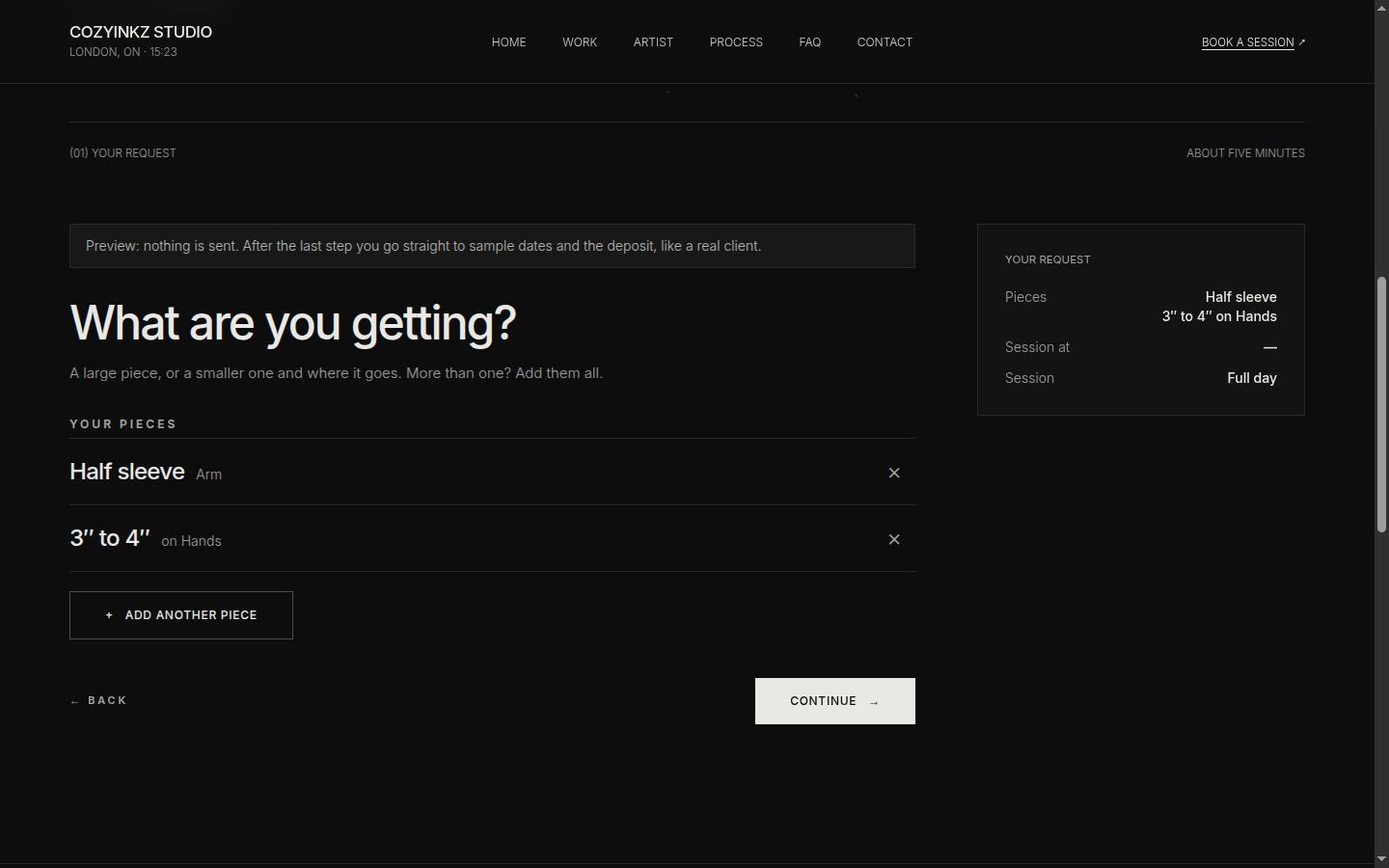
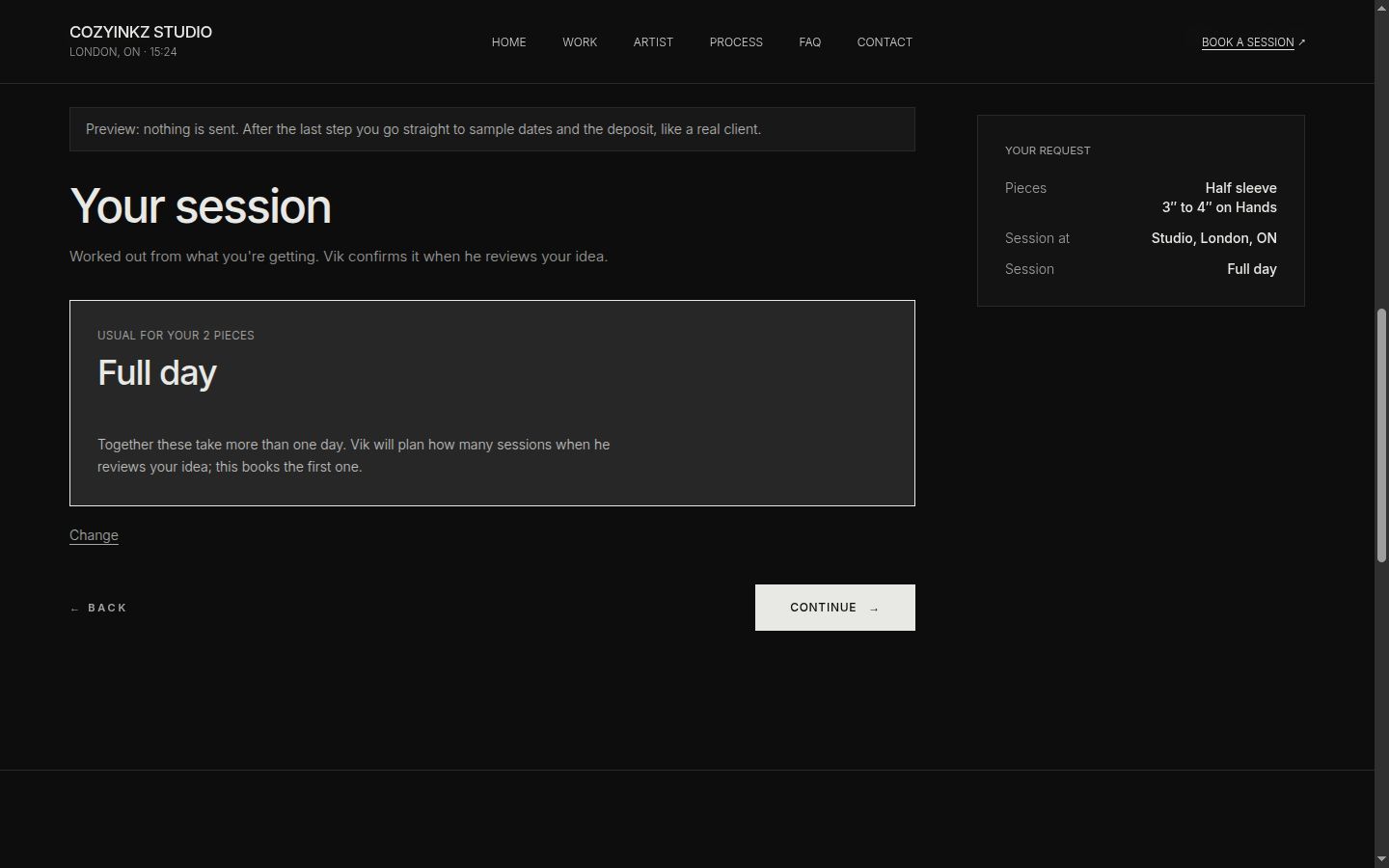
Live demoThe real "What are you getting?" step, rebuilt as a demo. Sample request.Animated mock-up of the booking step on a phone: the client adds a half sleeve, then a 3 to 4 inch piece on the hands, and the system works out a full-day session; the request summary fills in beside it. 02
Booking that books itself
One question per step, then a real calendar. The client says what they're getting, the system works out the session, and they pick an open day and hold it with a deposit. Nobody waits on Vik to get started.
- "What are you getting?" takes one piece or several: a large piece, or a size and where it goes
- The session is worked out from every piece; if they add up to more than a day, Vik plans the sessions
- A month calendar that only offers days passing every rule
- Studio or house call, with the travel region; under 18 only with a parent or guardian
-
Live demoOne booking from request to aftercare, the way the system runs it. Sample booking.Animated timeline of one booking with sample details: request sent, date held for 48 hours, deposit paid, a paid request on Telegram with Approve and Decline buttons where Approve is tapped, the confirmation email, the address and prep 48 hours before, and aftercare an hour after. 03
Deposit first, then Vik decides
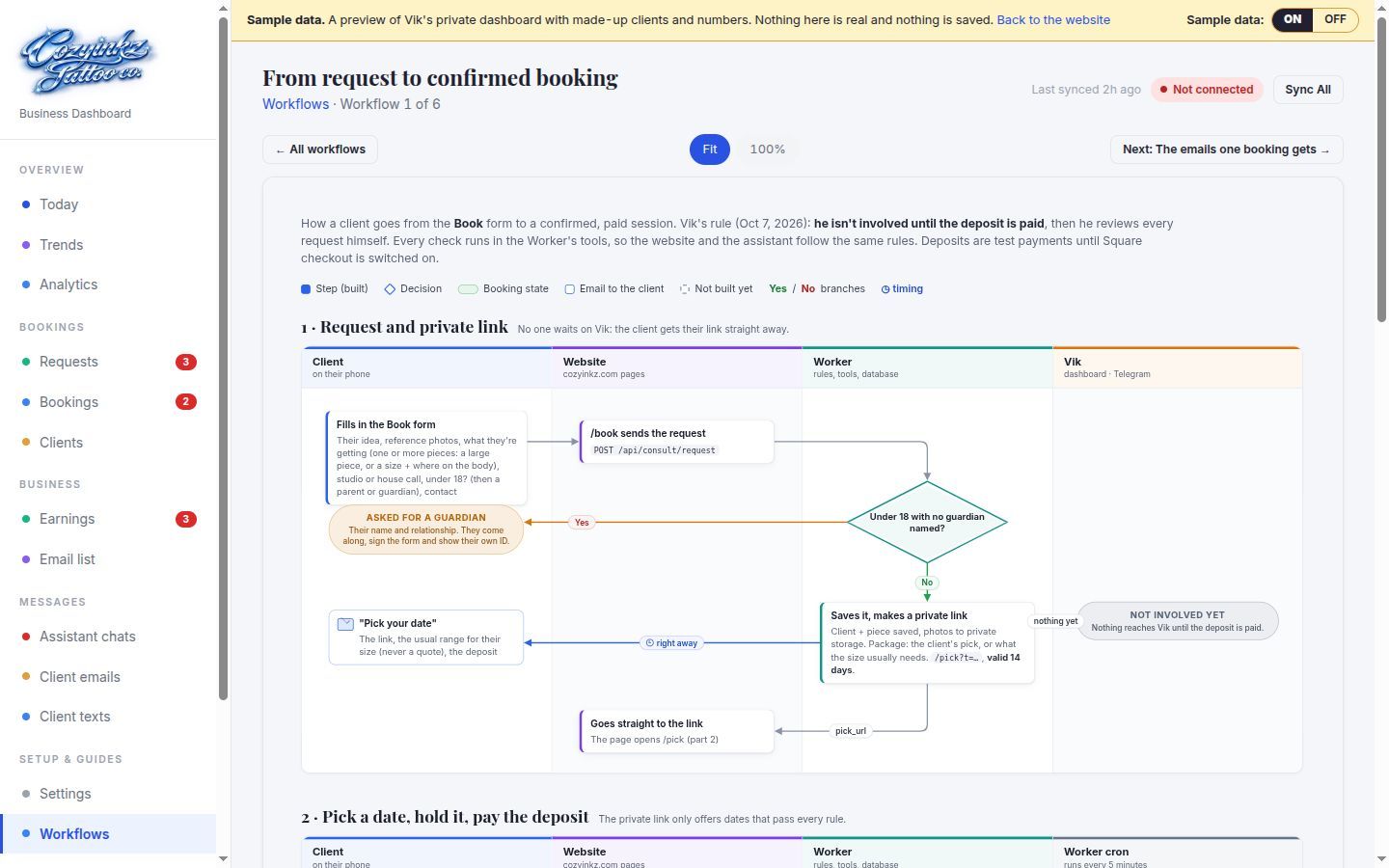
Vik's own rule: he isn't involved until the deposit is in. The date is held for 48 hours while the client pays, then the request lands on his phone with two buttons. One tap sends the right emails.
- A 48-hour hold, never past 24 hours before the session; unpaid holds free the date again
- Approve sends the confirmation, a calendar file and the consent form link
- Decline cancels and refunds in full; a card refund still waits for his OK
- Clients can move a session once themselves, with 48 hours' notice, from a signed link
-
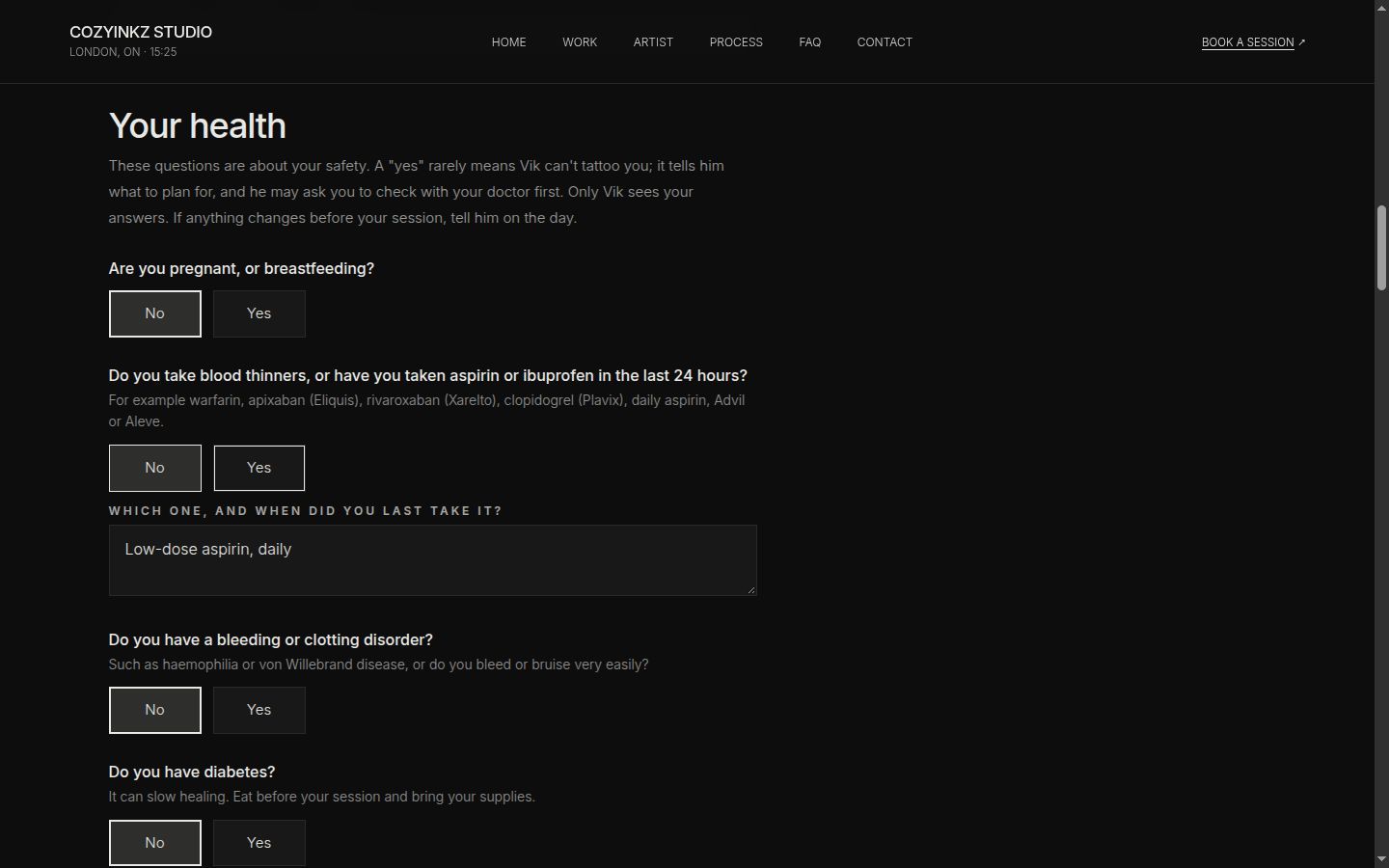
Live demoOne health answer, from the form to who is allowed to see it. Sample answer.Animated mock-up: a sample health answer (yes, low-dose aspirin) is encrypted before it is stored; Vik's dashboard can open the full form, the Today page shows a flag, and the AI assistant only gets has_health_flags true. 04
A consent form that keeps health data from the AI
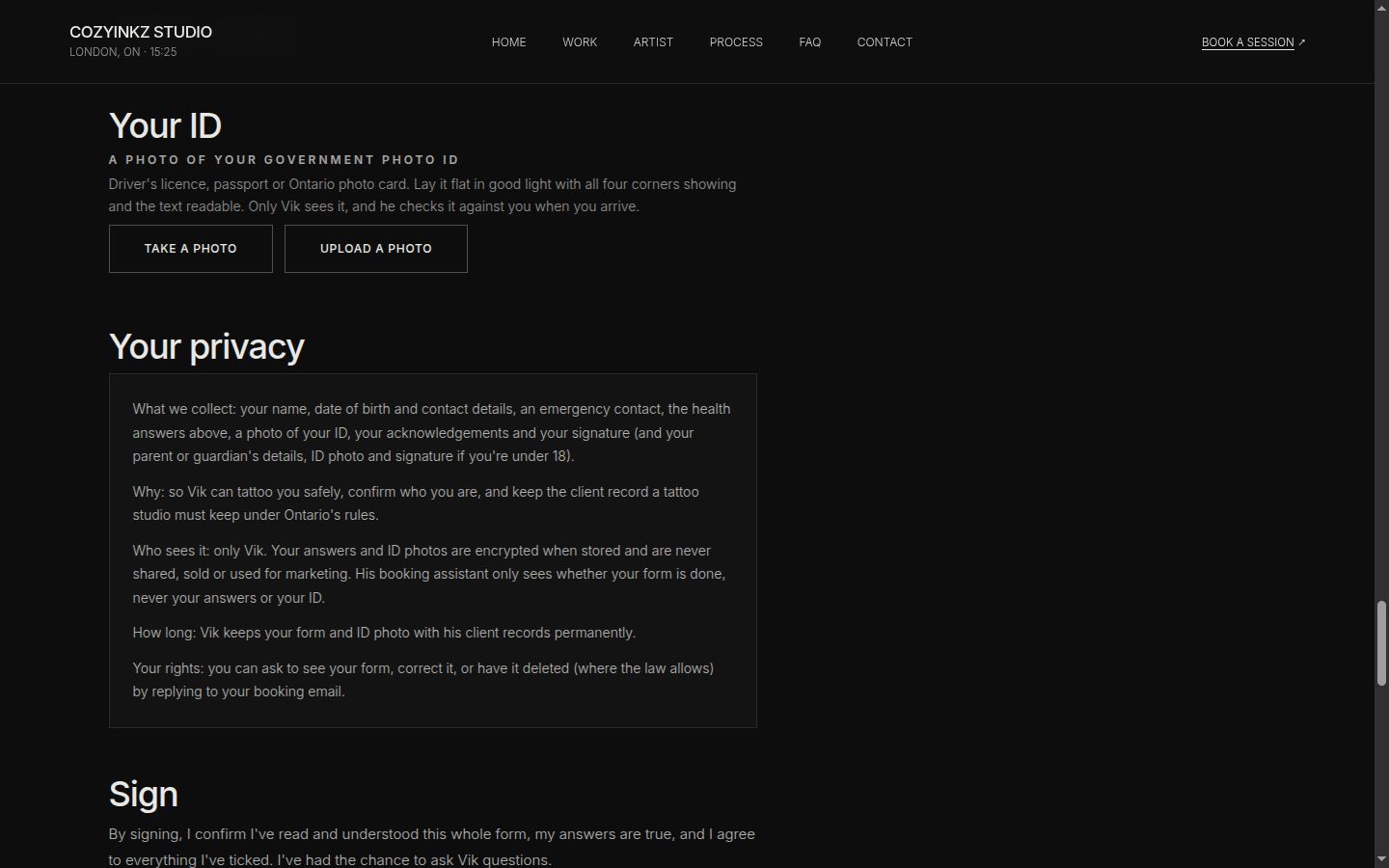
Once Vik approves, the client fills in a full consent and health form on their phone: 17 health questions, 10 acknowledgements, a photo of their ID and a drawn signature. On the day, Vik reviews it and checks them in.
- Health answers, signatures and ID photos are encrypted before they are stored
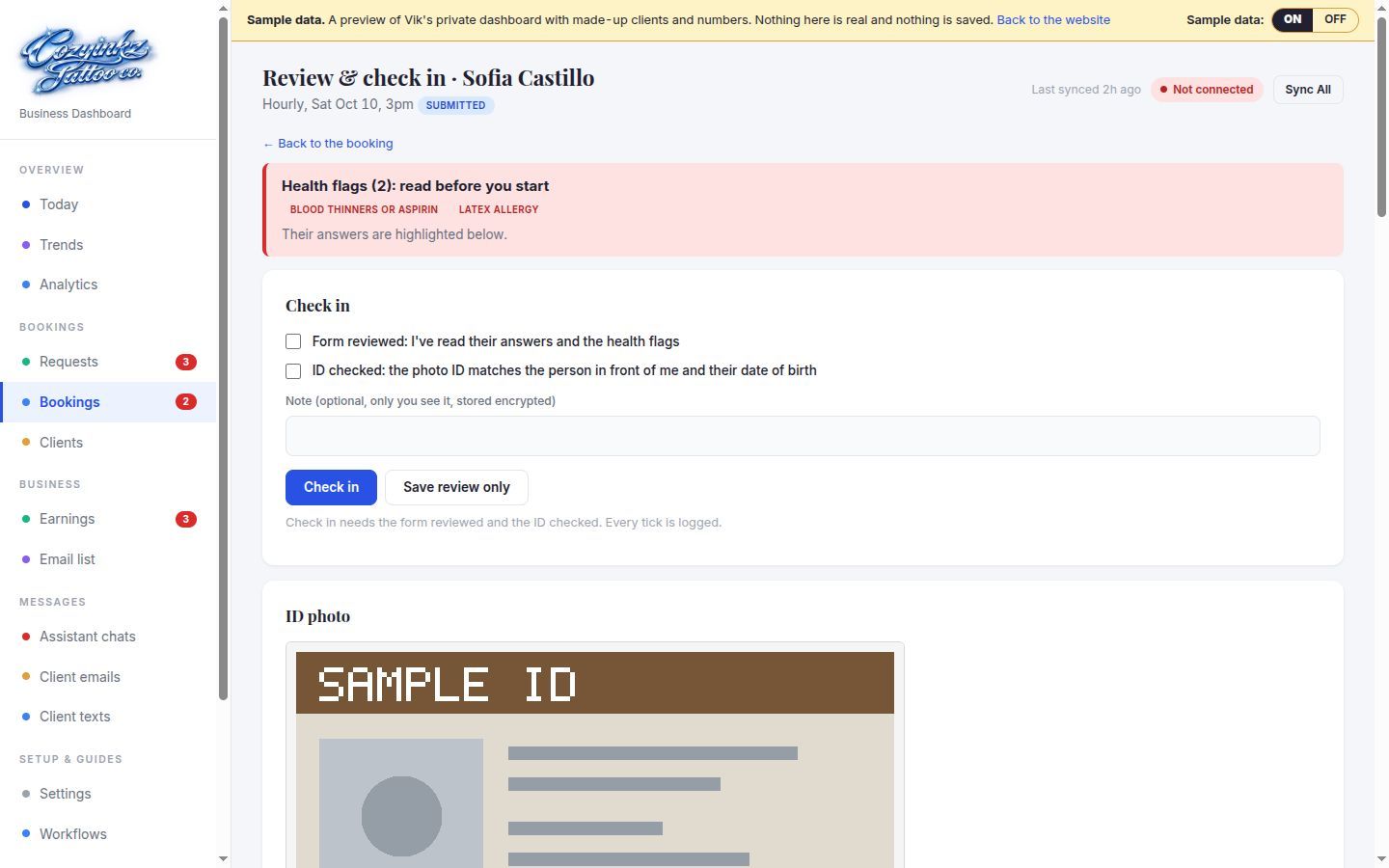
- The dashboard shows flags like "Blood thinners or aspirin"; the assistant only learns yes or no
- Check-in refuses until the form is signed and reviewed and the ID is ticked, and only on the session day
- Under 18: the guardian's own ID photo and signature are required too
-
05
One dashboard for the studio
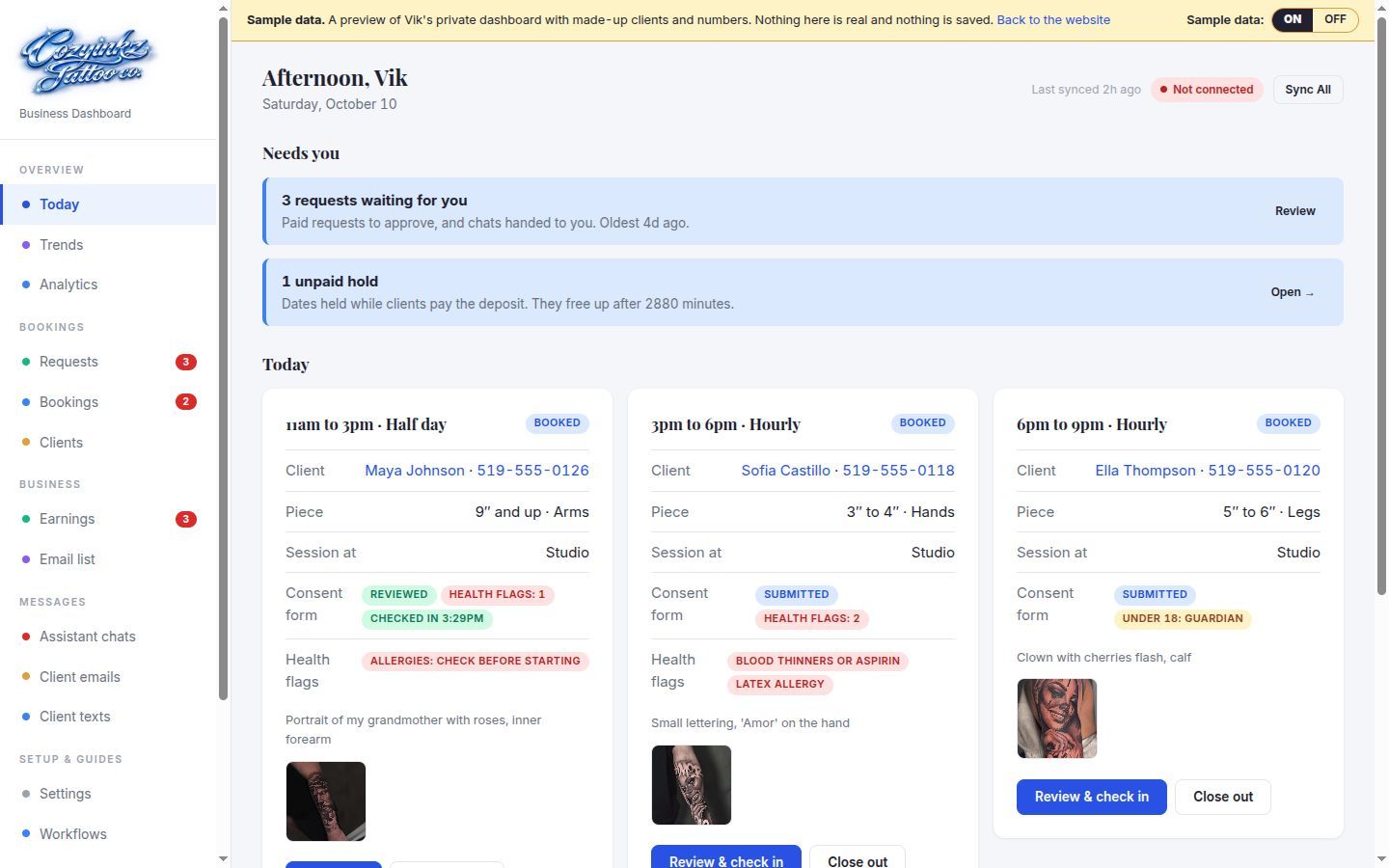
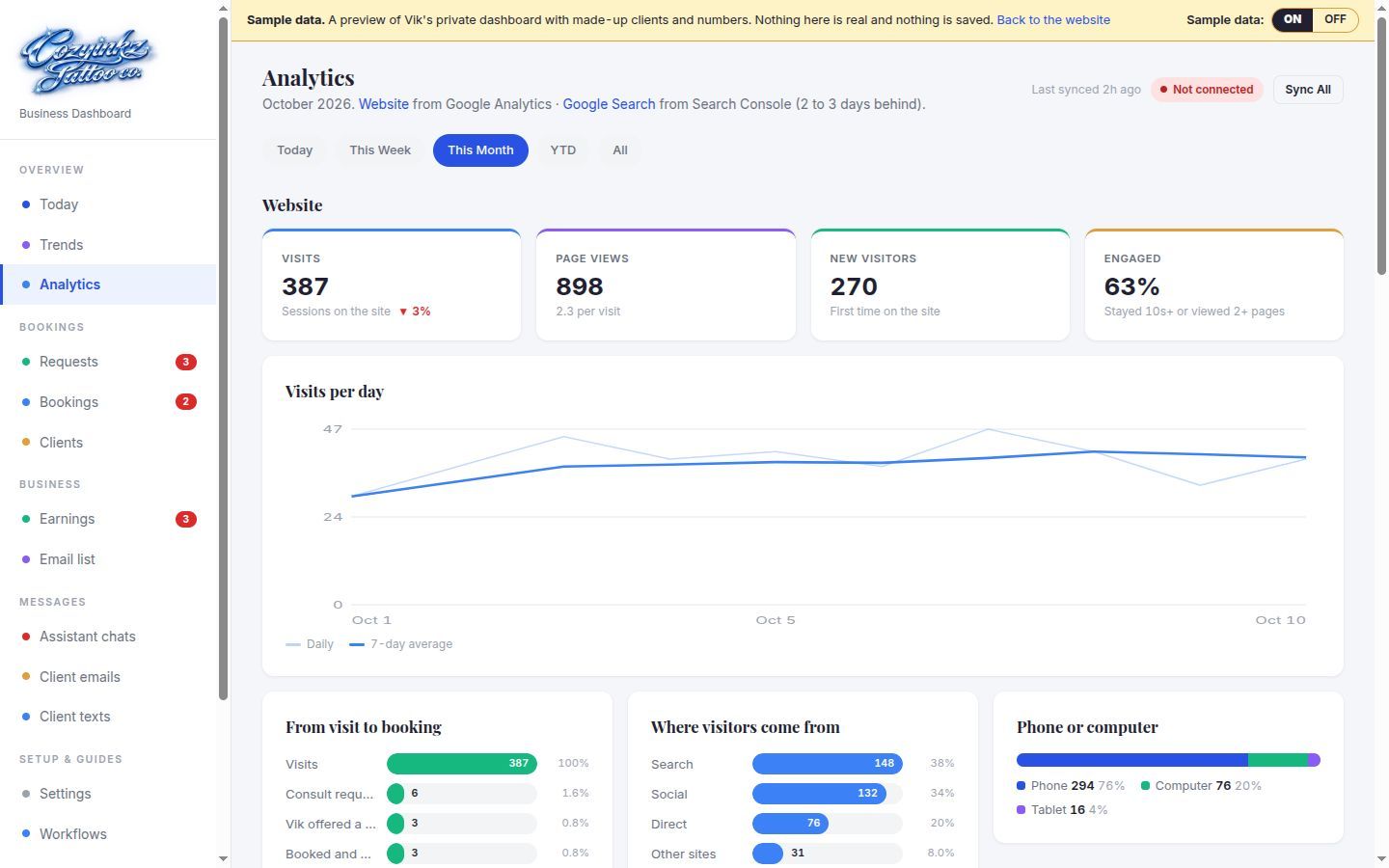
A private dashboard for Vik: Today, requests, bookings, clients, earnings, the email list, analytics and settings. Every button runs the same rule-checking tool as his assistant, so the two can never disagree.
- Today: each client's session, consent form status and health flags, with Review & check in
- Analytics: Google Analytics and Search Console on one page
- Email and text previews: every client message, rendered with a made-up client
- A sample-data switch, so the empty dashboard and a full one can be shown side by side
-
Live demoVik's side of a booking, on Telegram. Sample chat, made-up clients.Animated mock-up of a Telegram chat with sample details: a paid request arrives with Approve and Decline + refund buttons, Vik taps Approve and the bot confirms the client was emailed; Vik writes block friday and the bot blocks Friday; Vik asks who's in tomorrow and the bot lists one session with the consent form submitted and health flags yes, telling him to read them on the dashboard. 06
An assistant on his own PC
Vik's assistant is built to run on OpenClaw on his own Windows PC and talk to him on Telegram. It acts through the same tools as the dashboard, so every rule lives in code, not in a prompt. It is written and tested against stand-ins, and goes on his PC at launch.
- Paid requests arrive with Approve and Decline + refund buttons
- Plain-language asks: "block Friday", "who's in tomorrow?", "move Sarah to Thursday"
- It confirms first before anything that messages a client, moves money or changes a booking
- It never sees health answers, only whether a form has flags
Also in the dashboard
- Trends: daily charts with a 7-day average, for any range
- Earnings: money counts the day it arrives, tips on their own line, deposits for future sessions shown apart
- Square sales import, read-only every 15 minutes once Square is connected
- Email list with stages from lead to returning client, consent tracking and a CSV export
- Assistant chats, with a kill switch that stops every client message at once
- Workflows: nine diagrams of how the system works, inside the dashboard
- Growth plan: full days, half days and hourly compared from his own settings
- Settings: every rule editable, with "To confirm" on anything not yet confirmed
- A private calendar feed of his bookings to subscribe to
Built with
- Cloudflare Workers
- D1 + R2
- Astro + Tailwind
- Hono + zod
- Square OAuth, Checkout + webhooks
- Resend email
- Twilio SMS (built, off)
- Google Analytics 4 + Search Console
- OpenClaw + Telegram
- Claude Haiku classifier
- AES-256-GCM encryption
- 250 automated tests
Under the hood
The rules, written in code.
Figures come from the code itself. Screens are from the preview with sample data, and money figures are taken out.
-
Calendar
Capacity rules nobody can talk around
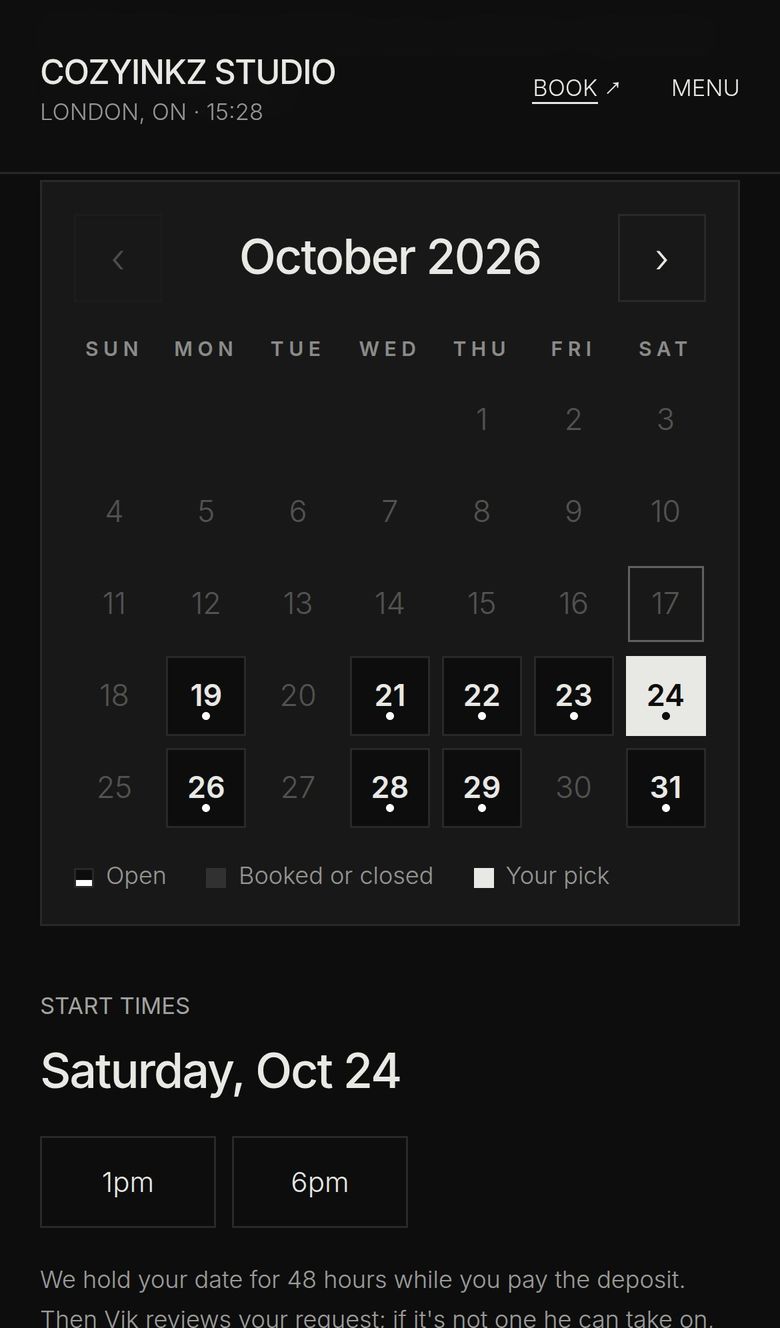
A day holds one full day, or up to two half days at 1pm and 6pm. Hourly sessions and touch-ups must fit inside a free half day. The rule lives in one place in the Worker, so the website, the dashboard and the assistant all get the same answer.
- 1 or 2a full day, or up to two half days
- 48hto pay before a hold ends
- 24hnotice needed to book
- 1 yearhow far ahead clients can book
Picking a new date always releases the client's earlier hold, and each hold is one atomic write, so two clients can't both win the same slot.
Live demoA day is picked and held; the Worker checks capacity on every hold. Sample calendar.Animated mock-up of the month calendar: Saturday November 14 is picked with a 1pm start; three hold attempts follow: a 1pm half day is held for 48 hours, a full day the same date is refused because the day has a half day, and a 6pm half day fits as the second half day. 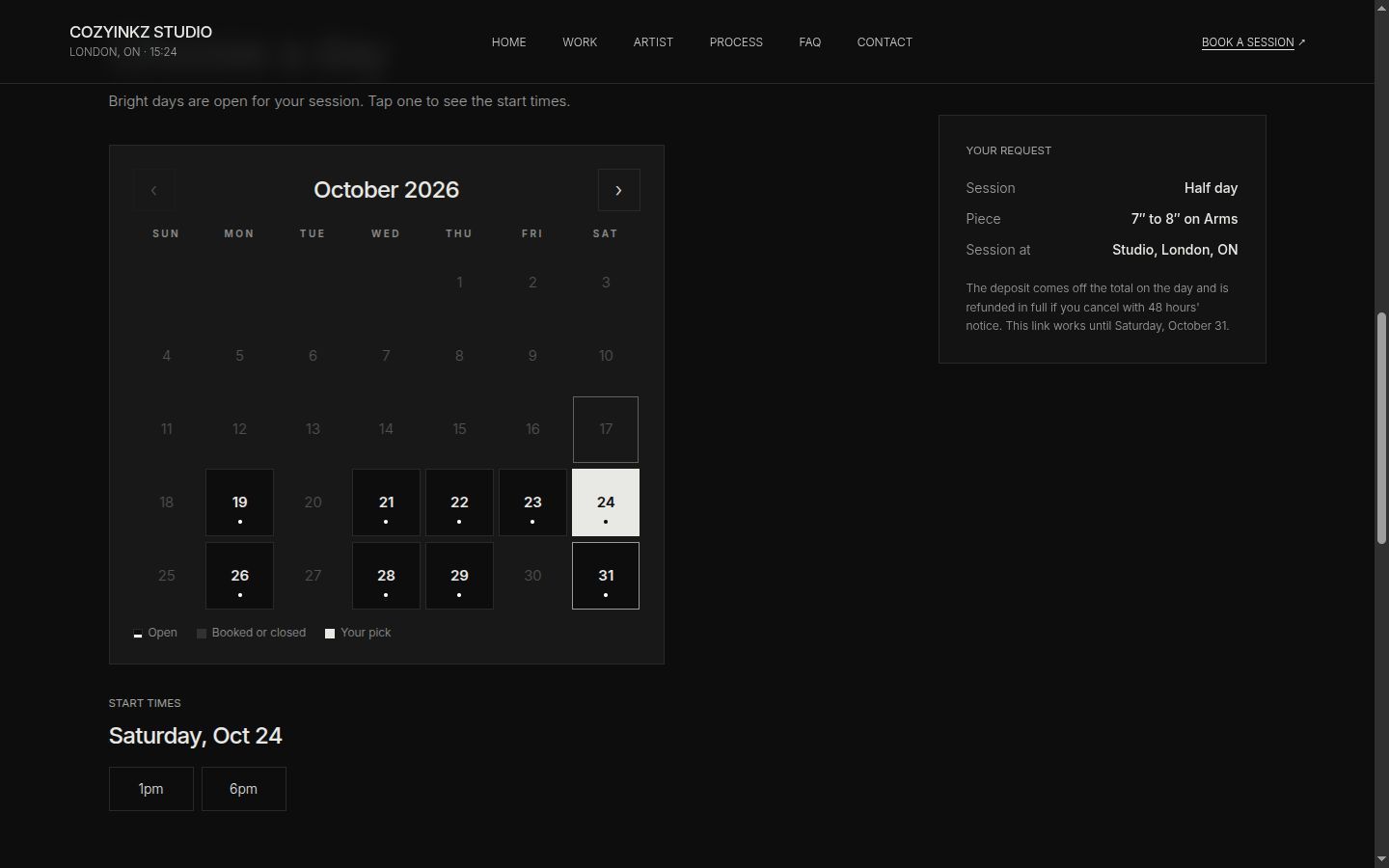
-
Consent and check-in
Verbal consent, now on record
Consent used to be a conversation with no record. Now it is a complete tattoo consent and release for Ontario, filled in on a phone. The link goes out once Vik approves, works once, and expires when the session ends. On the day, Review & check in puts the health flags first, then the ID photo and every answer.
- 17health questions, each yes needs a detail
- 10acknowledgements, ticked one by one
- 1ID photo required, plus the guardian's for under-18s
- 0health answers the assistant can read
Records are kept with his client records by default, as Vik chose. Screens use sample clients and placeholder IDs.
-
Messages
Twelve emails in his look
From "Pick your date" to aftercare, every client email is dark like the site: his chrome logo, a blackletter word, bone buttons, Apple and Google Calendar buttons. Each one is rendered from current data when it's sent, so a stale email cancels itself.
- 12client emails, each previewed with a made-up client
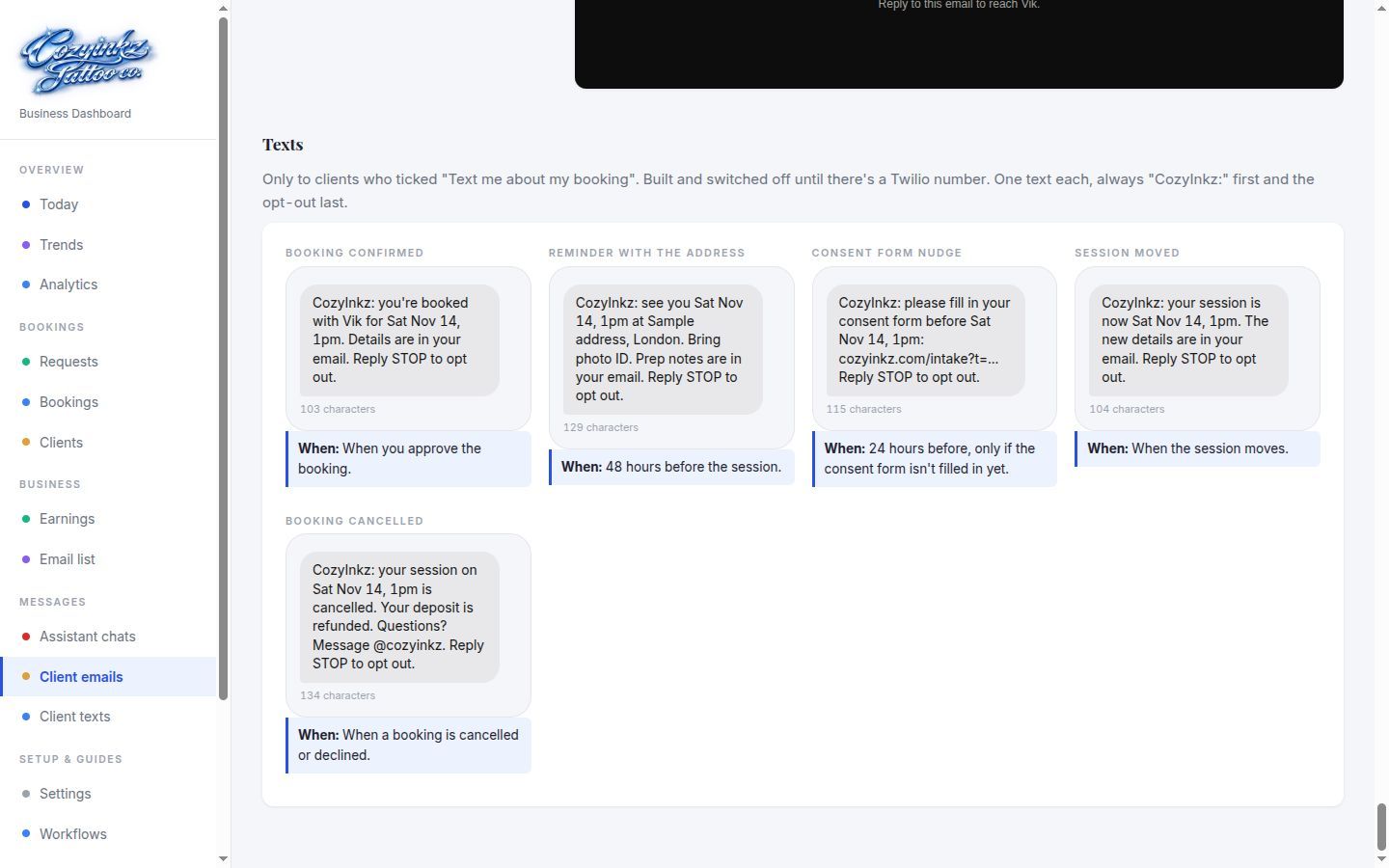
- 5booking texts, built and switched off
- 48hbefore a session: address, directions and prep in one email
- 0addresses sent before Vik approves
Everything is a dry run until launch: emails wait for the domain to be verified, texts for a phone number.
Live demoEmail 4 of 12, in the site's own look. Made-up client.Animated mock-up of the confirmation email: the chrome CozyInkz logo, the title You're confirmed with confirmed in blackletter, the date, session and place, Apple and Google Calendar buttons and a button to fill in the consent form. 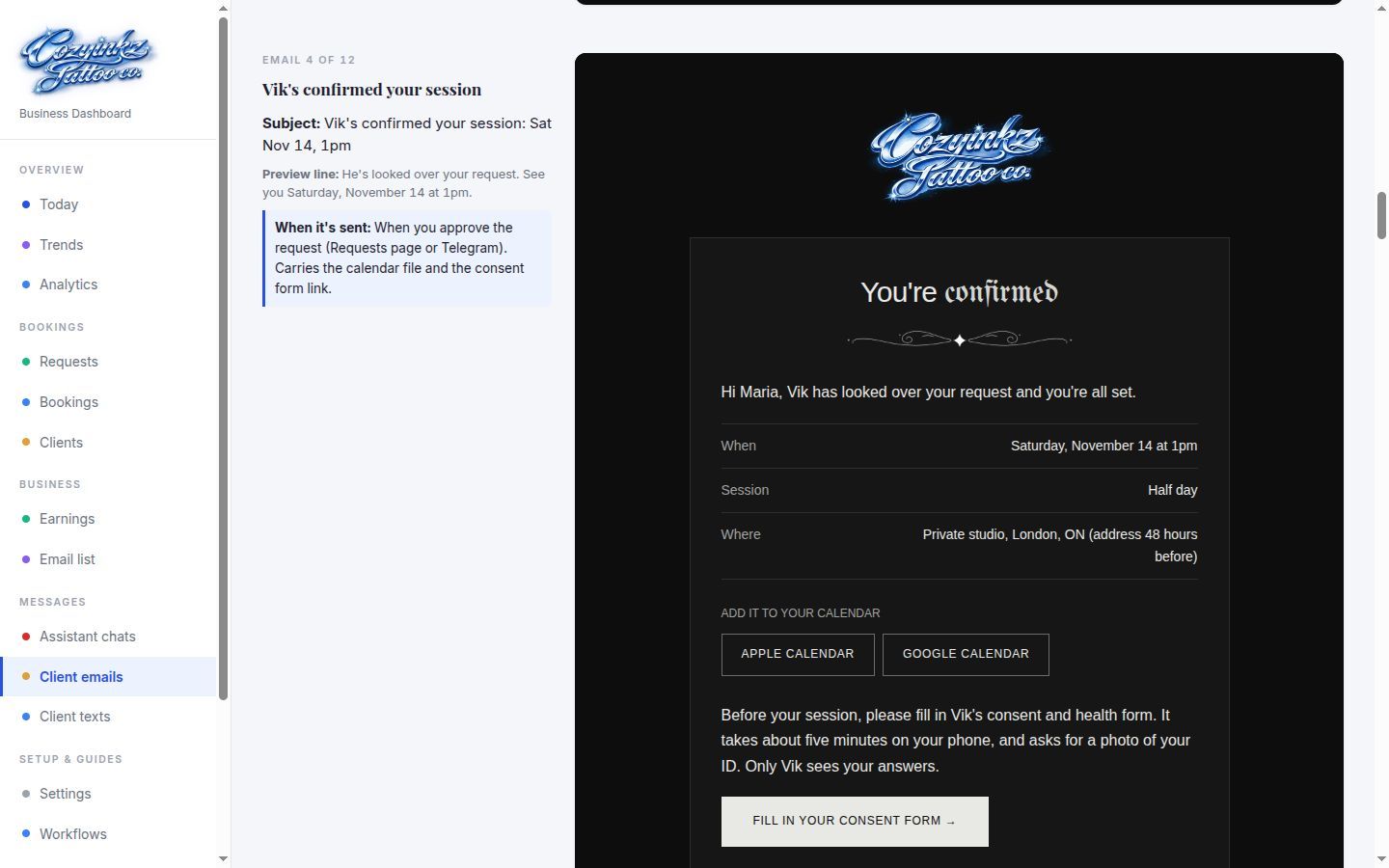

The assistant
What Vik can ask it.
Built and tested against stand-ins for Telegram and the Worker; it goes on his PC at launch. Every action is a tool with the rule inside it.
Bookings
- Approve or decline a paid request
- Move a session to an open time, with the notice rule or without it
- Cancel with the 48-hour refund rule applied
- Book a free touch-up and set its length
The studio day
- A morning summary: today's clients, form status, health flags yes or no
- Check a client in once the form is reviewed and the ID is ticked
- Block time off, or open it again
- List upcoming sessions and who still has to sign
Money
- Close out a session: balance, tip and how they paid
- Record cash, e-transfers and expenses
- Card refunds wait for his yes
- A money summary when he asks
Clients
- Notes, tags and do-not-contact
- Multi-session pieces tracked across visits
- The email list, with consent tracked
Guardrails
- It confirms in one line before anything that messages a client, moves money or changes a booking
- Tools refuse what breaks a rule, and it says why instead of working around it
- No health answers, ever: it only sees whether a form has flags
Ready, not switched on yet: Instagram DMs through ManyChat; booking texts (needs a phone number); card deposits through Square (test payments until it's connected); his Google Calendar blocking dates; receipt photos.
What it enforces
Rules, not promises.
It hasn't taken a real booking yet, so these aren't outcomes. They're what the system guarantees from day one, and what went into building it.
- 48hto pay the deposit, or the date frees itselfNever held past 24 hours before the session
- 0dates two clients can both winEach hold is one atomic write in the database
- 0health answers the AI can readEncrypted before storage; the assistant sees yes or no
- 0card refunds sent without Vik's OKAnd a double tap still sends one refund
- 0prices on the public websiteVik quotes once he has seen the idea
- 31tools the agents can callEvery business rule is checked inside them
- 250automated tests189 for the Worker, 46 for the bridge, 15 for the plugin
- 19database migrationsEvery schema and settings change, tracked in order
- 12client emails in his lookPlus 5 booking texts, built and switched off
From the preview
More screens.
More work
Other case studies.
-
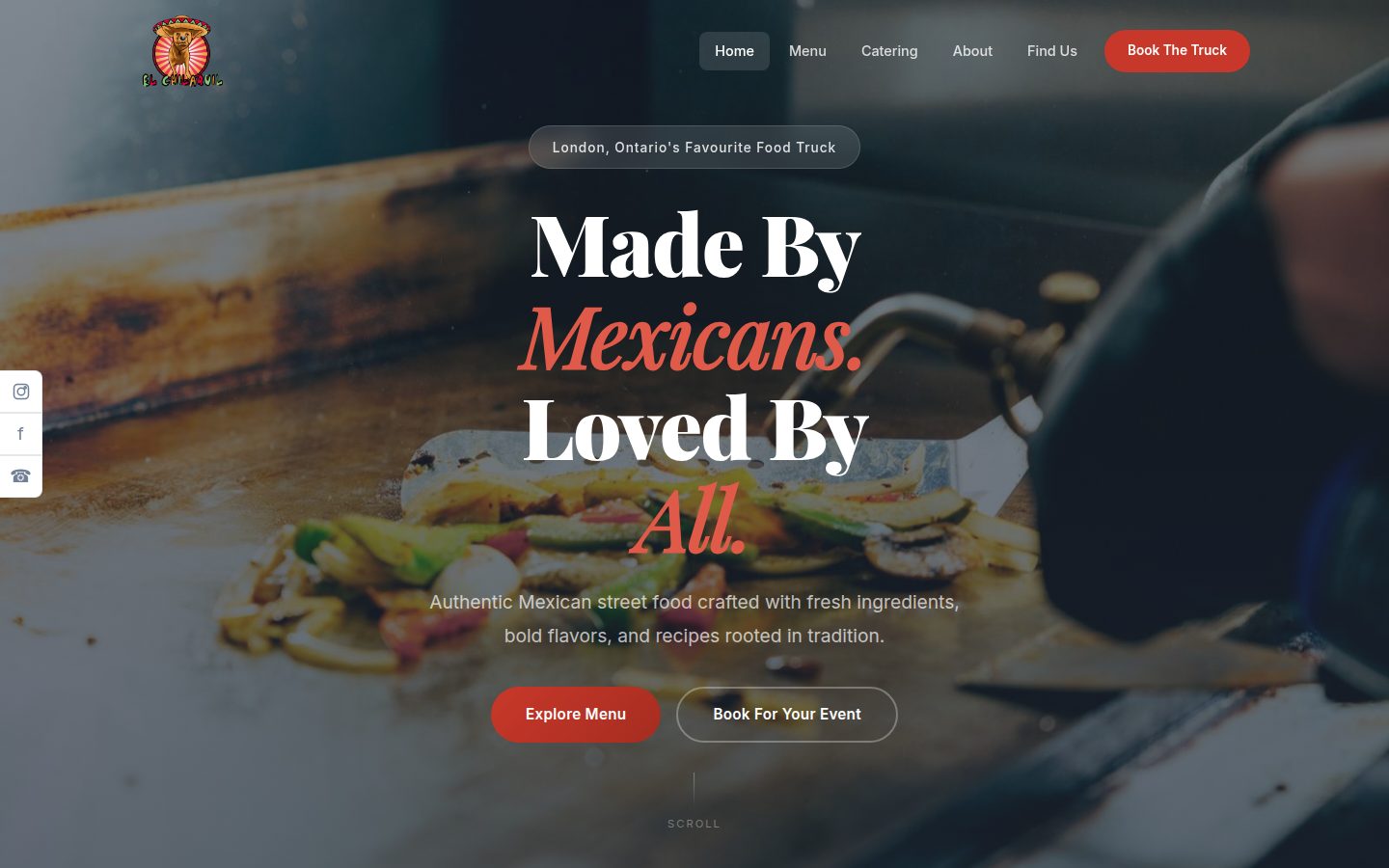
Food truck & catering · London, Ontario
El Chilaquil
A family-run Mexican street-food truck that also caters weddings, corporate lunches and parties across Southwestern Ontario. We rebuilt their website, gave them a 24-page business dashboard and put an AI agent in their team chat that watches the inbox, briefs them every morning and drafts the replies.
Read the case study -
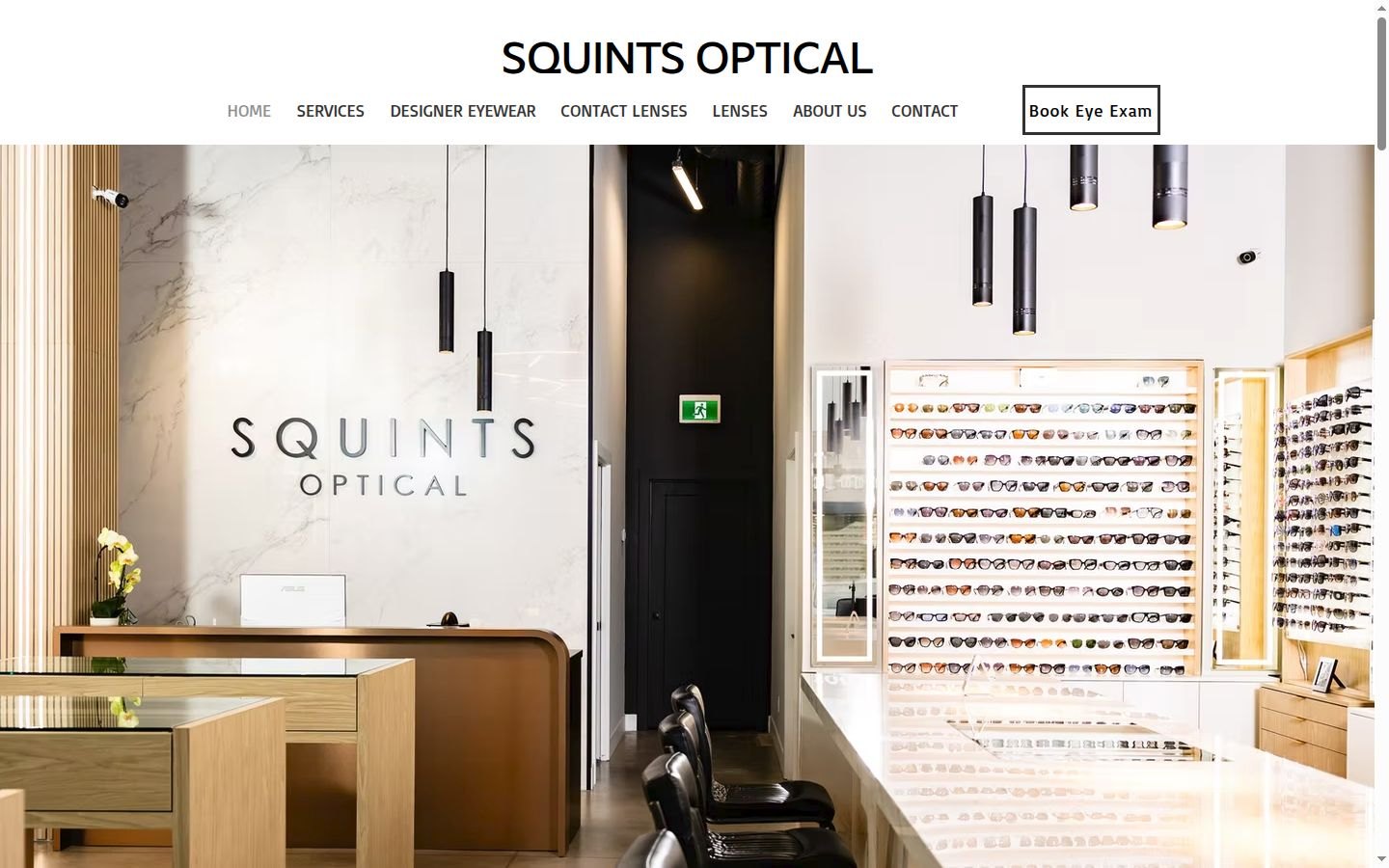
Optical store
Squints Optical
The owner runs an optical store with an optometrist on site. We built a store system that runs on a computer in the store: reminders and recall, lab orders typed once, insurance claims prepared for staff, receipts from a photo, payroll hours and a morning brief on his phone. It is built and tested in a dry run, and every lab order, claim and campaign waits for a person.
Read the case study

Say hello
Let's see what we can take off your plate.
A free consultation is the easiest way to find out whether AI would help your business, and where to start if it would.
Book a free consultation